
Mandarin and Cantonese → English
Chinese to English live translation for calls, webinars and video
Chinese to English live translation tools are mostly phone apps for travel: order food, ask directions, pass the phone back. When the Chinese is coming out of your laptop, in a supplier call, a Mandarin webinar, or a Bilibili or YouTube video, you need something different. LiveTrans is a desktop app for Windows and Mac that listens to system audio or your microphone and shows English subtitles while people speak.
Mandarin and Cantonese are both available as spoken languages, and the original Chinese can be shown next to the English.
Free: 1 hour a month. Pro: $4.99/month for 30 hours. Windows and Apple Silicon Macs on macOS 13.0+.
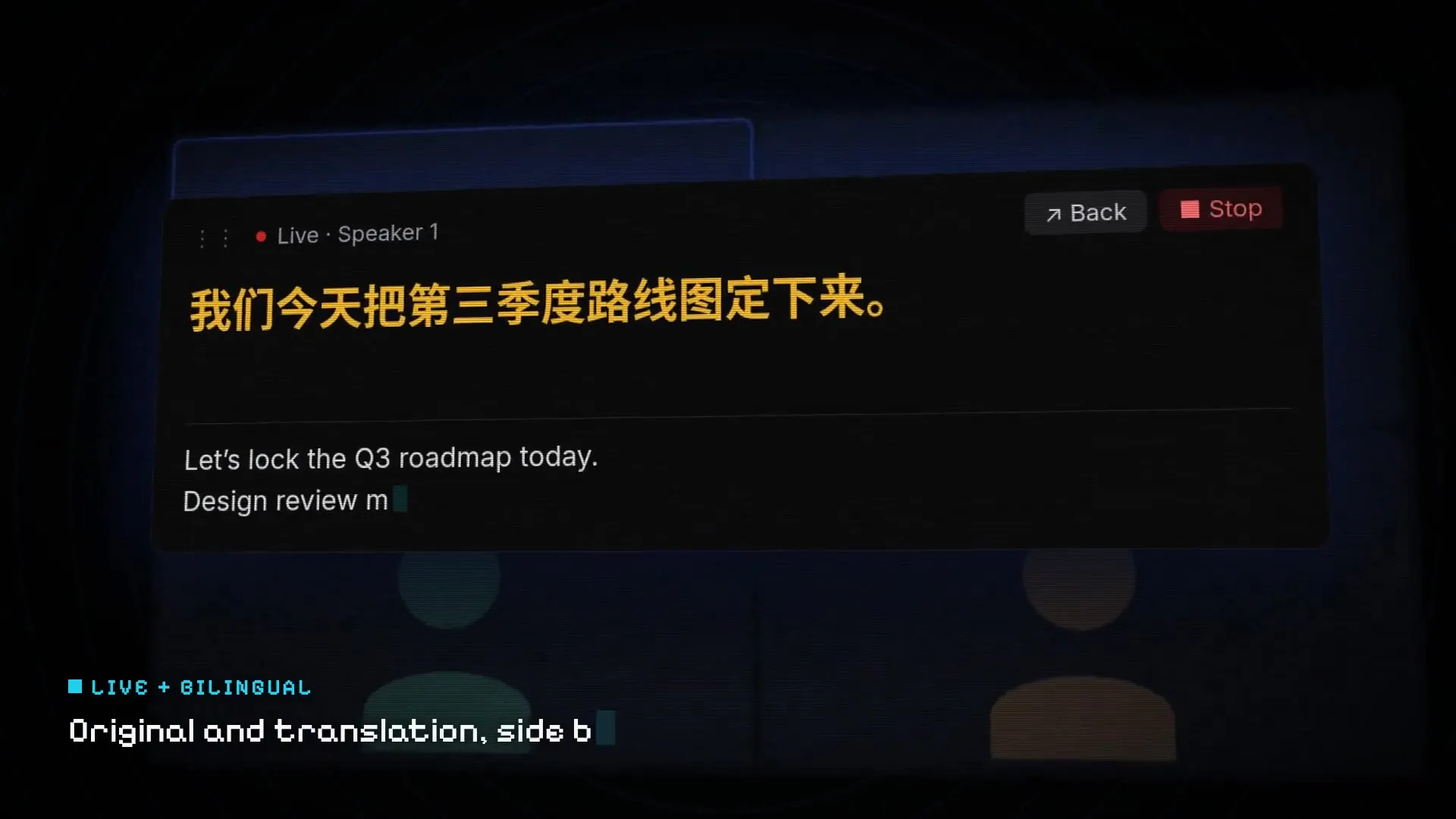
Fictional demo content; no customer, meeting, or account data.
Set it up in three steps
01
Pick Chinese or Cantonese
Choose the spoken language (Chinese or Cantonese) and set English as the target.
02
Select the audio source
System Audio for calls and video; Microphone for an in-person speaker; or both together.
03
Start before the speaker does
Start LiveTrans before the call begins so you do not miss the introductions, then keep it running until the end.
Get the installer from the LiveTrans download page.
Common uses
People use Chinese to English subtitles where the audio is already on a screen.
- Sourcing and supplier calls on WeChat, Zoom, Teams or Tencent Meeting desktop apps.
- Mandarin webinars, trade-show livestreams and investor calls.
- Chinese video and streaming content without English captions.
- Family video calls where not everyone shares a language.
Why a desktop app instead of a phone translator
A phone translator hears through its own microphone, so it picks up room noise and misses quiet speakers on a laptop. LiveTrans takes the audio directly from your computer, which is cleaner, and puts the text on the same screen as the video. You also do not have to stop the conversation for each sentence.
Numbers, names and units: the details to double-check
Chinese counts in units of ten thousand (万) and a hundred million (亿), so “3万” has to become “30,000” in English. Prices, quantities and dates are exactly the details a business call turns on, and the place where a quick translation is most likely to slip. Keep the original line visible and check figures against it.
Personal and company names are the other weak spot, because many sound alike. Ask for important names in the chat, and use the transcript (saved in Pro history) to follow up in writing.
Good to know before you rely on it
- Audio is sent over the network to cloud services for transcription and translation. LiveTrans is not an offline tool. Details are in the privacy policy.
- Automated text can contain errors. Check names, numbers and decisions before you act on them.
- Follow applicable law, consent requirements and your organisation’s policy when capturing audio.
Further reading
- Microsoft Teams: Use live captions in meetings Teams’ own caption and translated-caption options.
- Google Meet: Use translated captions Which Workspace editions include translated captions.
- Japanese to English live translation
- Live meeting translation subtitles
Frequently asked questions
Does LiveTrans support Cantonese as well as Mandarin?
Yes. Cantonese is available as a separate spoken language in the app.
Can I translate English into Chinese too?
Yes. Chinese is also a target language. Swap source and target in the language menu.
Does it work inside mainland China?
LiveTrans needs an internet connection to its cloud services. Network conditions vary by location, so try it with the free hour before you depend on it.
Will the other side know I am using it?
LiveTrans does not join the call. You should still follow your organisation’s rules and any consent requirements.
Can I save the conversation?
Pro includes meeting history and text export so you can review the session afterwards.
How much does it cost?
Free includes 1 hour per month. Pro is $4.99 per month for 30 hours.
Try it with the free hour
Every account gets 1 hour a month. Upgrade to Pro only if it earns its place.