
YouTube videos and live streams
Live translate YouTube videos and live streams into English
To live translate a YouTube video into English, YouTube’s own auto-translate needs a caption track first. Many videos do not have one, and live streams often only get captions in the language being spoken. LiveTrans works from the sound instead: it listens to the audio your computer plays and puts translated subtitles in a floating window above the player.
Because it reads system audio, it is not tied to one browser or one site. A YouTube stream, a conference broadcast, or a recorded talk all work the same way.
Free: 1 hour a month. Pro: $4.99/month for 30 hours. Windows and Apple Silicon Macs on macOS 13.0+.
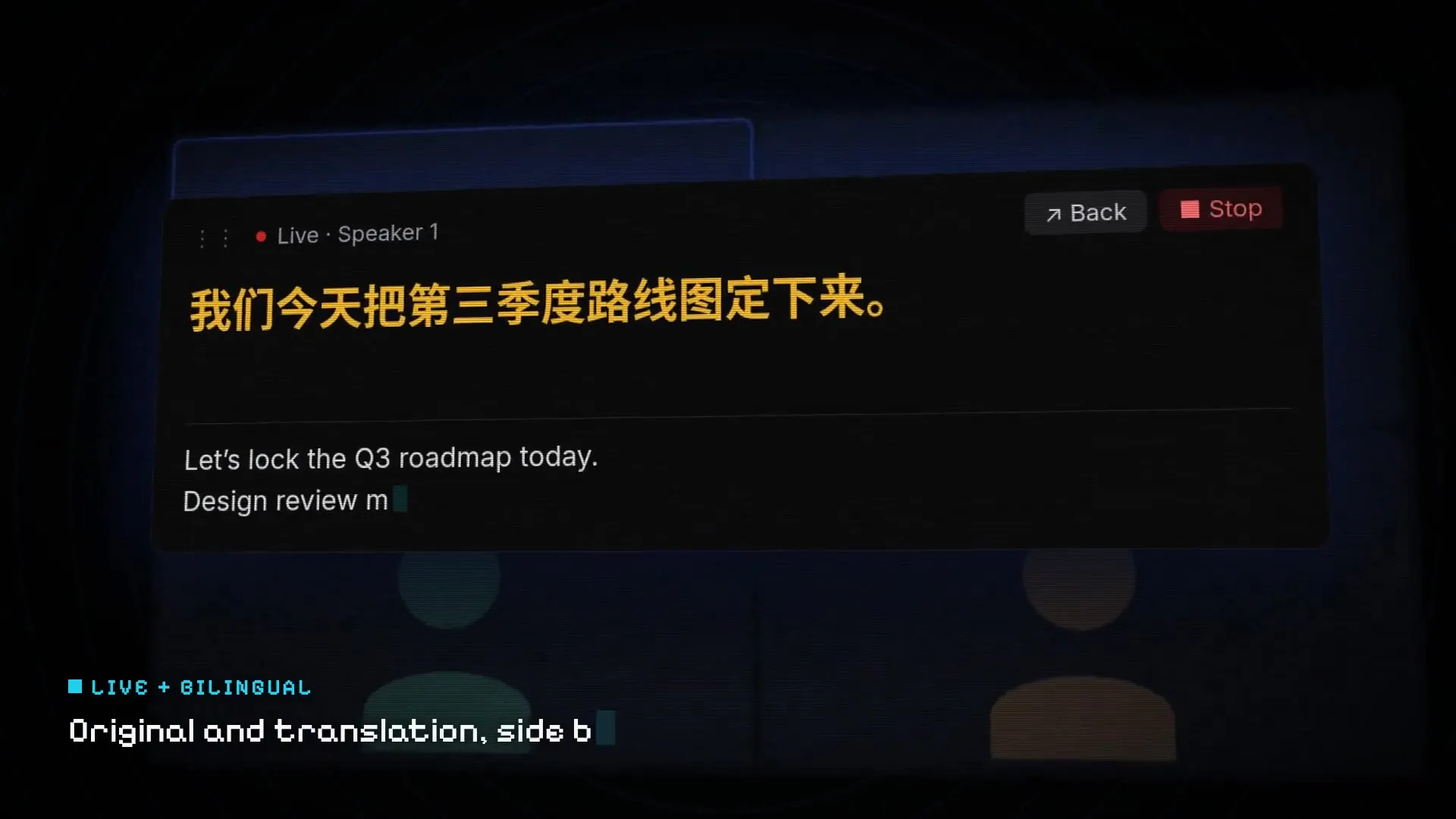
Fictional demo content; no customer, meeting, or account data.
Set it up in three steps
01
Choose System Audio
Open LiveTrans on Windows or macOS and pick System Audio as the source.
02
Set the spoken language
Choose the language of the video, or use automatic detection, and set English (or another supported language) as the target.
03
Play and read
Start LiveTrans, then play the video. Place the floating subtitles under the player or on a second screen.
Get the installer from the LiveTrans download page.
Why YouTube’s auto-translate is not always enough
YouTube can translate captions into another language, but only when the video already has captions, and the translation inherits any mistakes in the auto-generated track. On live streams the option is often missing altogether.
Browser extensions fill part of this gap, but most only work inside one Chrome tab. A desktop app that listens to system audio also covers the YouTube app on a TV-style player window, other browsers, and other video sites.
What you get with LiveTrans
LiveTrans is built for live speech, so a stream is the case it handles most naturally.
- Translated subtitles for videos with no caption track.
- Original text alongside the translation, useful when you are learning the language.
- Works with any player that sends sound to your speakers or headphones.
- Pro saves the session in history so you can export the text afterwards.
Music, effects and several voices: what to expect
Speech recognition works best on one clear voice. Videos with loud background music, sound effects, or people talking over each other will produce gaps and errors, whatever tool you use. For a gaming stream or a music show, expect the gist rather than every line. For lectures, interviews, and news, results are usually much more readable.
Set the spoken language explicitly when you know it. Automatic detection is convenient, but a fixed source language is steadier on short or mixed clips.
Good to know before you rely on it
- Audio is sent over the network to cloud services for transcription and translation. LiveTrans is not an offline tool. Details are in the privacy policy.
- Automated text can contain errors. Check names, numbers and decisions before you act on them.
- Follow applicable law, consent requirements and your organisation’s policy when capturing audio.
Further reading
- YouTube Help: Use automatic captioning How YouTube’s own automatic captions and their limits work.
- YouTube Help: Change subtitle settings Turning on YouTube’s auto-translate for videos that have captions.
- Japanese to English live translation
- Translate any computer audio
Frequently asked questions
Can LiveTrans translate a YouTube video that has no subtitles?
Yes. It transcribes the audio itself, so it does not need a caption track on the video.
Does it work on YouTube live streams?
Yes. LiveTrans is built for live speech, so it translates the stream while it is playing.
Is it a browser extension?
No. It is a desktop app for Windows and macOS that listens to system audio, so it works with any browser or player.
Can I see the original language as well?
Yes. You can show the original text together with the translation.
Does translation happen offline?
No. Audio is sent to cloud services for transcription and translation, so you need an internet connection.
How many hours of video can I translate for free?
Free includes 1 hour per month. Pro is $4.99 per month and includes 30 hours.
Try it with the free hour
Every account gets 1 hour a month. Upgrade to Pro only if it earns its place.